Galina Kubis
Senior Salesforce Consultant


Salesforce enforces phishing-resistant multi-factor authentication (MFA) for privileged users – and further security changes are imminent.
In short: A code from an authenticator app will no longer be sufficient in the future.

The new rules come into effect in Sandbox starting June 22, 2026, and in Production starting July 1, 2026.
Who is considered a privileged user?
System administrators as well as users with one of the following permissions:
Modify All Data
View All Data
Customize Application
Author Apex
Which authentication methods are permitted?
Physical security key (e.g., YubiKey, Google Titan Key)
Built-in authenticator (Face ID, Touch ID, etc.)
Salesforce recommends passwordless login with Passkeys for a faster and more secure experience.
If you use SSO, check your Identity Provider configuration. Either update your IdP to require phishing-resistant MFA, or enable Salesforce's native MFA for SSO logins – otherwise Salesforce will prompt you directly in the UI to register a compliant method.
What are the next steps?
First, identify your privileged users.
Identify all users with the permission "Waive Multi-Factor Authentication for Exempt Users", as this permission will no longer work.
Ensure both verification methods are enabled in the settings under "Identity Verification" in Setup.
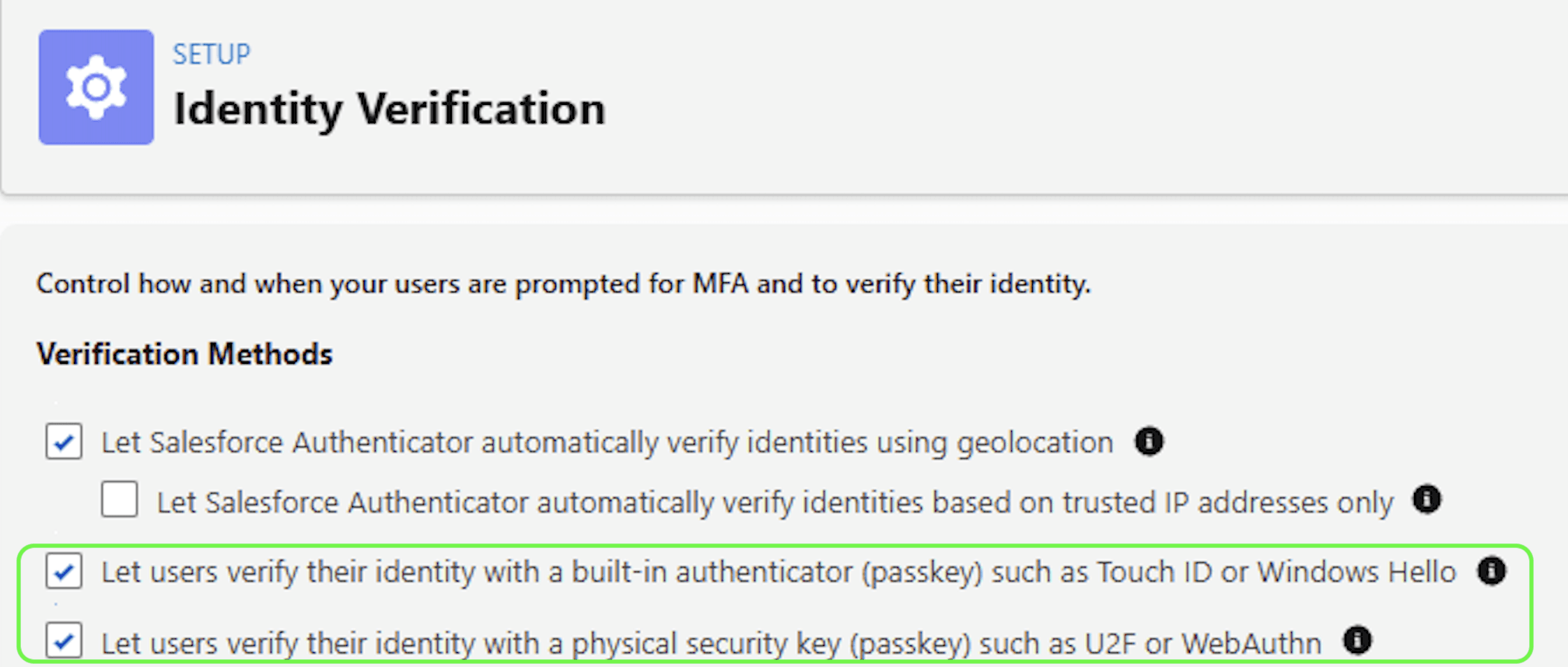
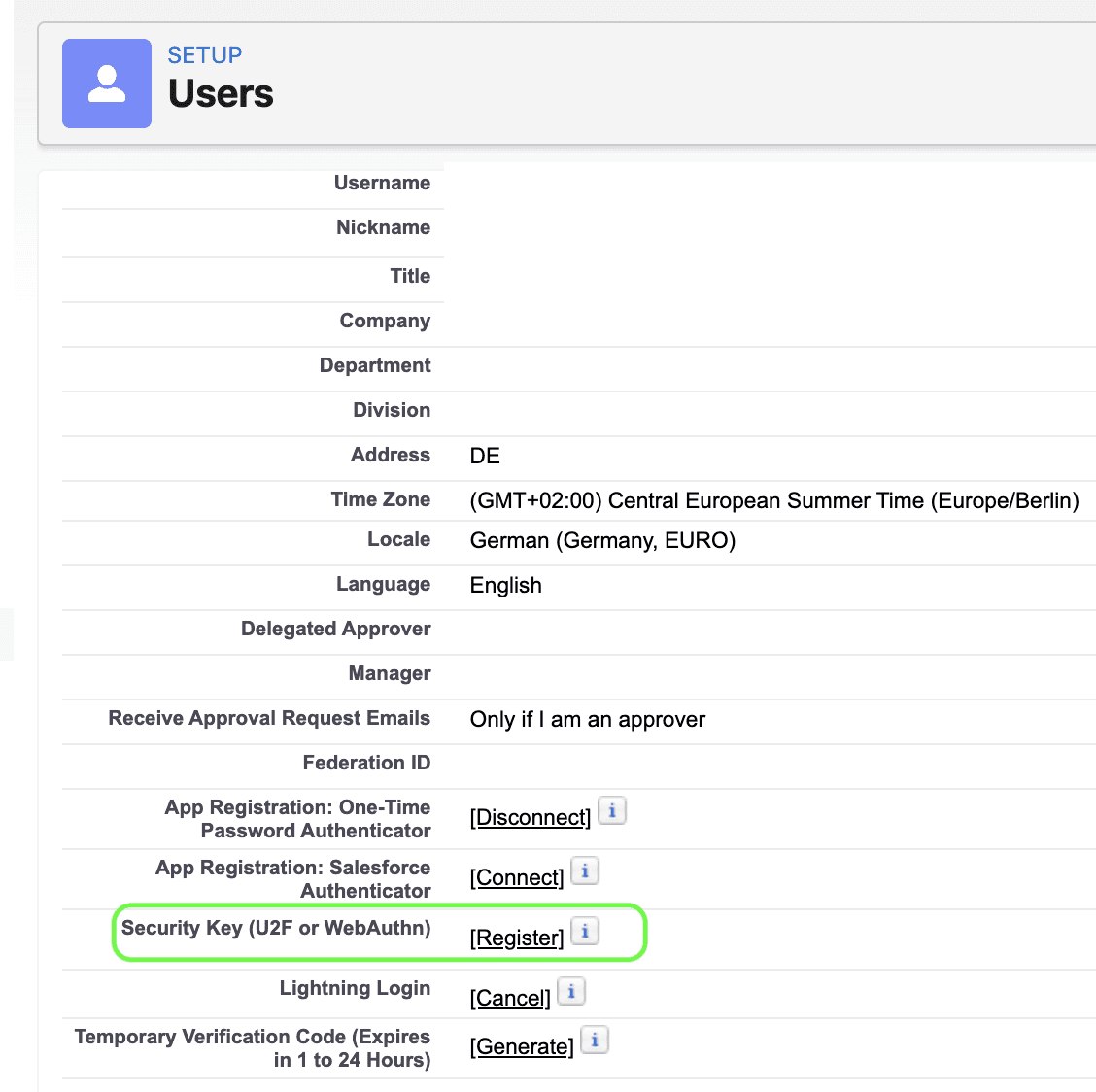
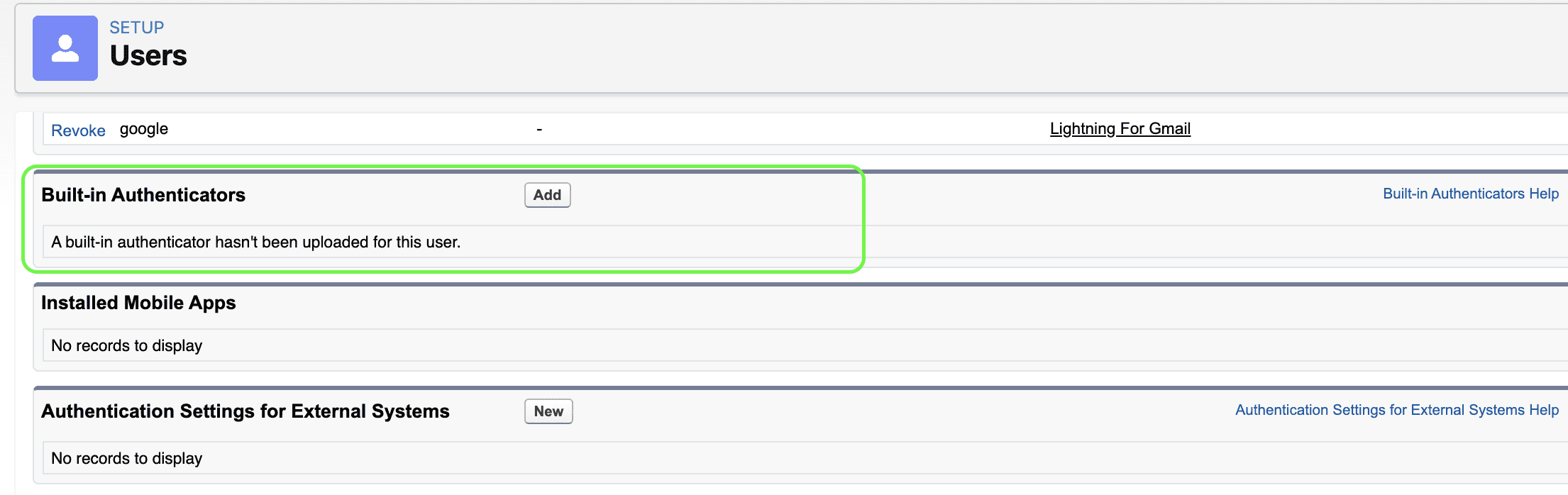
Add one of the methods to your own settings under "Advanced User Details" and encourage other privileged users to register their verification methods.
Option 1: Security Key via U2F or WebAuthn
Option 2: Built-in Authenticator
A backup method is highly recommended, as well as a backup admin user in the organization.